Chrome extension
Records your browser in Chrome, Edge and Brave on macOS, Windows and Linux. Free, no sign-up.
ChromeEdgeBravemacOSWindowsLinux
Add to Chrome — it's free Meet the screen recorder that edits for you. Just walk through your idea. Cursorful follows your clicks, adds the zooms, and makes it a show.
Free extension No sign-up No watermark
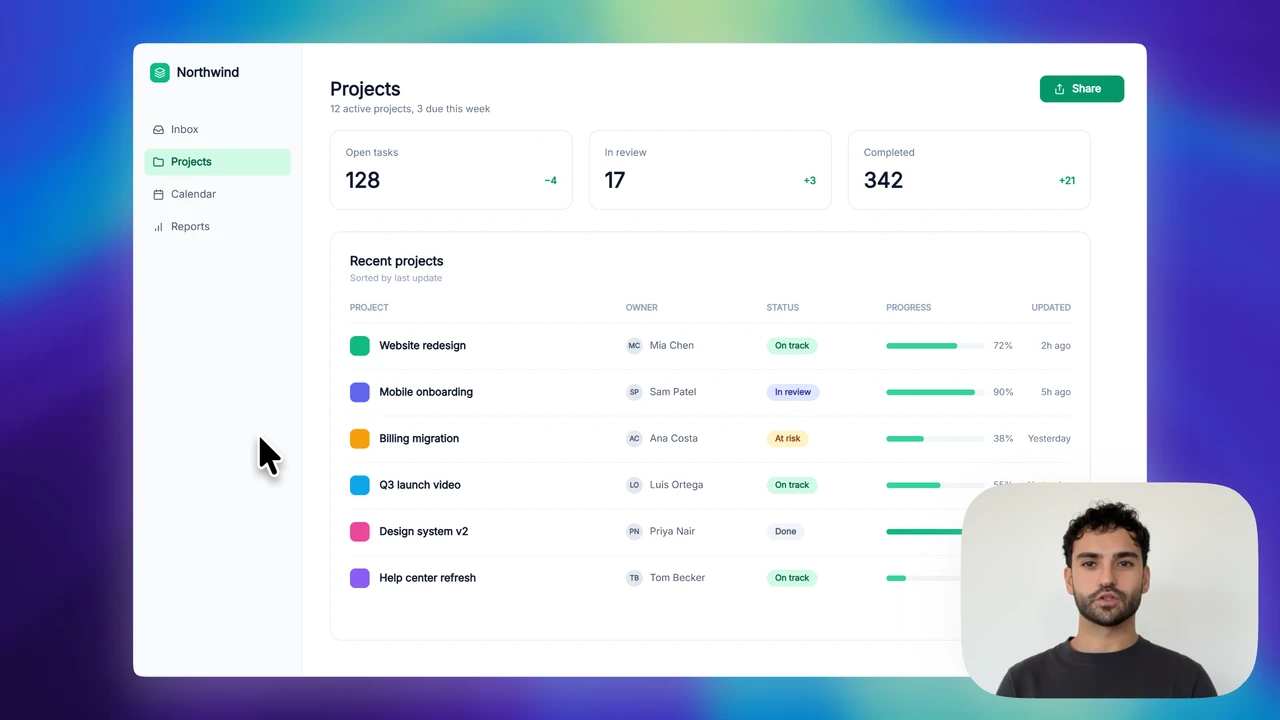
Try itDrag a zoom to move it, pull its edges to resize it — the video follows.

The best tool for quick tutorial videos or screen grabs…

Makes such a difference from a basic screen recording.

Indispensable for creating screen demos.

Amazing software! Purchased a license immediately.
Use the Chrome extension or the Mac and Windows apps. Narrate with your microphone and bring your camera along.
Two clicks within three seconds start a zoom. The view follows your cursor while the clicks keep coming, and eases back out when they stop.
Render an MP4 or a GIF on your own computer, or publish a streaming link — public, or private to your organization.
Hide the background, go vertical, drop the browser frame or put your camera beside the screen. The demo re-renders as you click, with the same engine as the editor.
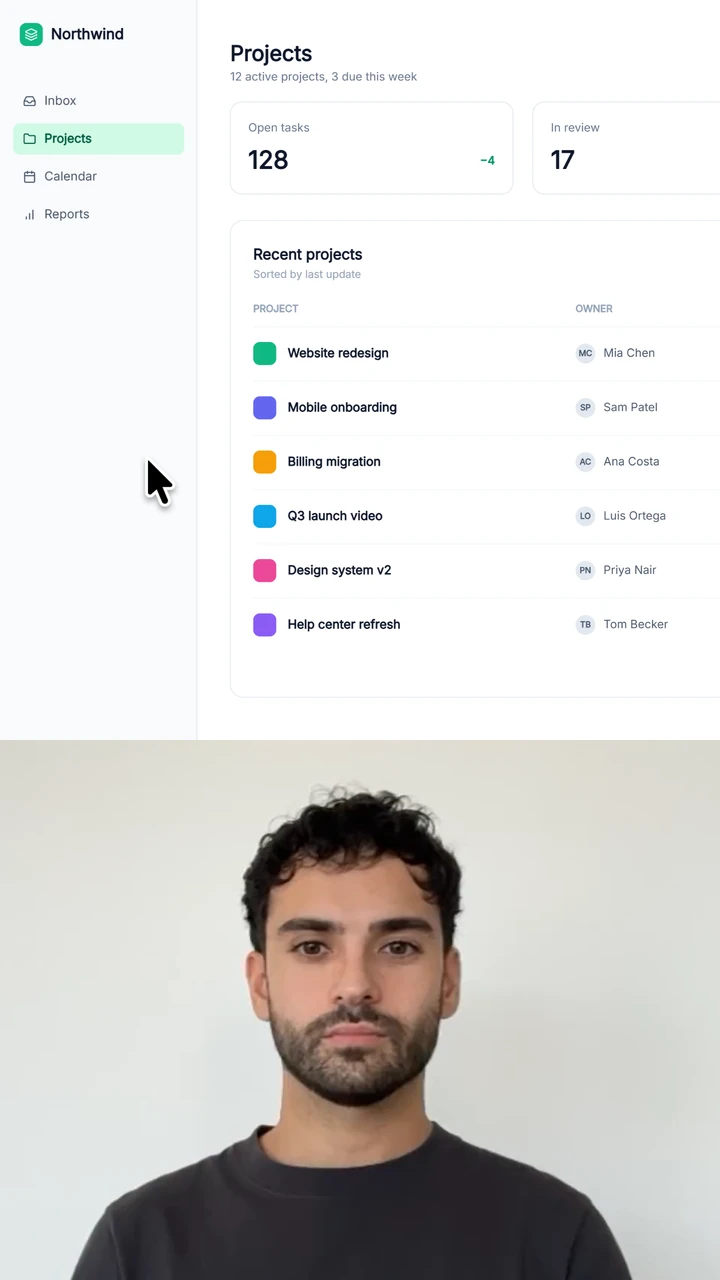
Record with the extension or the desktop apps, or drop in any video file. Zooms, crops, captions and backgrounds are applied in the editor, and nothing is uploaded.
Cursorful follows your clicks and cursor with silky, cinematic zooms — no keyframes to place by hand. Record, and the first automatic edit is already done.
Drop a zoom anywhere on the timeline — follow the cursor or pin a spot — and dial the depth from shallow to maximum.
Circle, rounded or sharp — dock your camera in any corner, resize it, even move and reshape it per scene.
Zooms, speed, camera and blur are all segments on one timeline. Share a cloud project and edit it together in real time.
Crop to the recorded window automatically, or draw a fixed crop to leave out toolbars, sidebars and anything else off-topic.
Speed up any segment up to 10×, trim dead air and split takes, all on the same timeline as your zooms.
Generate captions from your audio, on your device — then style size, fill and stroke to match your brand.
Narrate while you record. Denoising strips fans, hums and keyboard clatter — entirely on your machine.
Suffer from tab hoarding or a messy bookmarks bar? One click hides the tab strip, address bar and bookmarks, so the recording shows only the page.
Export straight to a streaming link — public or private to your organization. No file juggling, just paste it in Slack.
Exports run on your device with hardware encoding — up to 4K, private by default. Cloud is opt-in, never required.
Export the same edit as 16:9 for YouTube, 9:16 for Shorts and Reels, 1:1 for feeds — ten presets from ultrawide to portrait.
Each card is a live demo — move your mouse over it and the cursor inside follows yours. These effects need the desktop app, which records the pointer separately so it can be redrawn.
Jittery hand movement is replaced with a smoothed path. The gray cursor is your raw input; the green one is what viewers see.
Scale the cursor from subtle to unmissable so it reads clearly on any screen — even a phone playing a 4K demo.
Fast movement is blurred along its path, and the cursor tilts into turns and settles when it stops. Flick your mouse across the card.
Record with the free extension or the Pro desktop apps. Both open the same editor, so nothing changes when you switch.
Records your browser in Chrome, Edge and Brave on macOS, Windows and Linux. Free, no sign-up.
Records any app on screen, and captures the pointer separately from the video so the cursor can be redrawn: smoothed, resized, with sway and a shadow.
Real reviews from the Chrome Web Store — 1,000+ ratings and counting.
Intuitive, easy to use, and produces good results. Recommend!

It does everything: Records without fault, edits the focus for you (zoom), shows where you click with a pulse, easy editing in-app after, and allows you to reduce file size substantially while keeping the readability of text in video. I'm a journalist and use Cursorful to show developers and administrators the bugs I run into in my work routine. It works just a little bit better than a screenshot, because they can see where I click exactly, and what happens.

I finally found the tool that creates these amazing product demo videos that I've been seeing on LinkedIn and Youtube! It was easy to use, pretty intuitive, and great UI!

Love using Cursorful! Best screen recording service out there. Simple to use and produces really high quality content. It was a no-brainer for me to upgrade to pro!

Reliable, fast, easy to use and with great post-recording visual customisation options too. Very refreshing to see a one-time purchase option as well.

This product is just FANTASTIC!! Intuitively designed and lovely UI with great animation in mind to help creators capture the screens we need! Not to mention Luca's speedy support to any user questions is amazing!!

The free plan has no time limit and no sign-up. Pro is a one-time payment, not a subscription.
Record the browser, auto-zoom, edit and export. Free for non-commercial use.